Windows 10: Reset TCP / IP Stack
This article has not been updated recently and may contain dated material.
To Reset TCP / IP Stack in Windows 10.
1. Click the Start button in the bottom left corner of the screen.

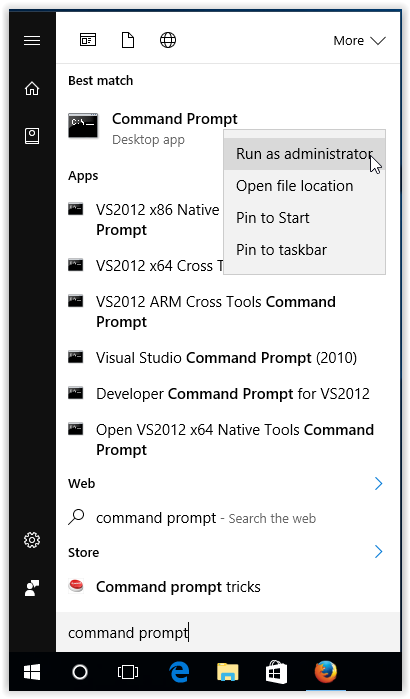
2. Type Command Prompt in the Search bar. Then right-click on the Command Prompt icon, and select Run as administrator.
3. If prompted, select Yes to allow changes to be made to computer.
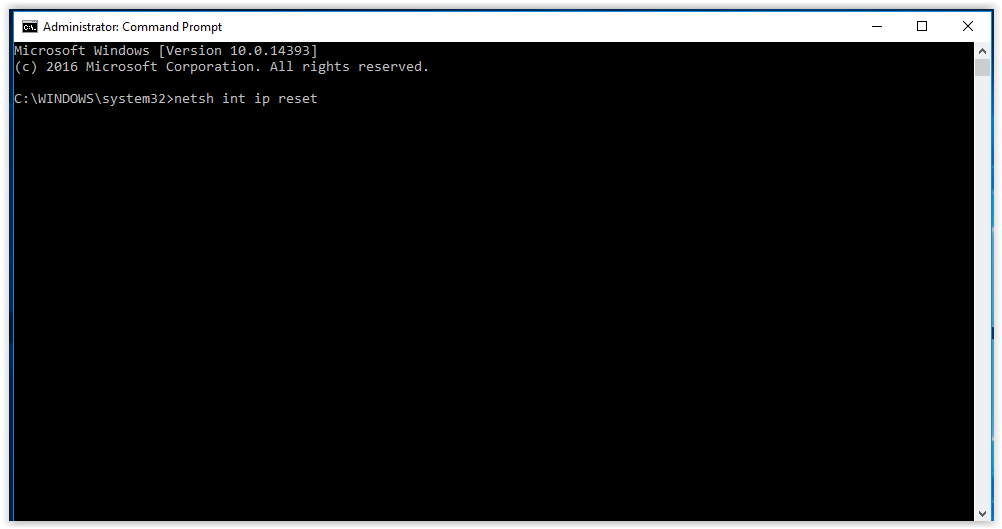
4. Type in netsh int ip reset, and press Enter.
Referenced from: Microsoft
19483
7/17/2025 2:54:39 PM