Outlook 2016: Delegate Calendar Permissions
There may be broken links in this article, the GROK staff has been notified and is working to resolve the issue.
This article has not been updated recently and may contain dated material.
Delegate Calendar Permissions
1. Sign into Outlook.
2. Click the Calendar icon in the bottom left corner of the screen.

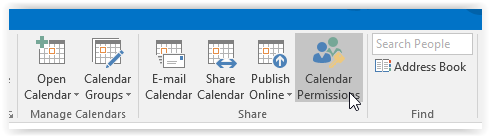
3. In the top right screen, click Calendar Permissions.
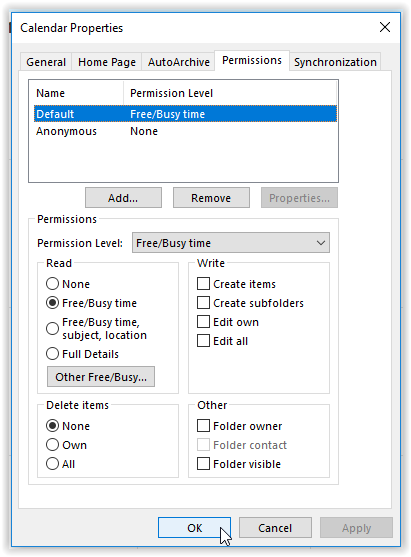
4. Select the preferred settings, then click OK.
19517
6/27/2024 12:36:40 PM